
Featured
Best Custom ROMs for Galaxy S10

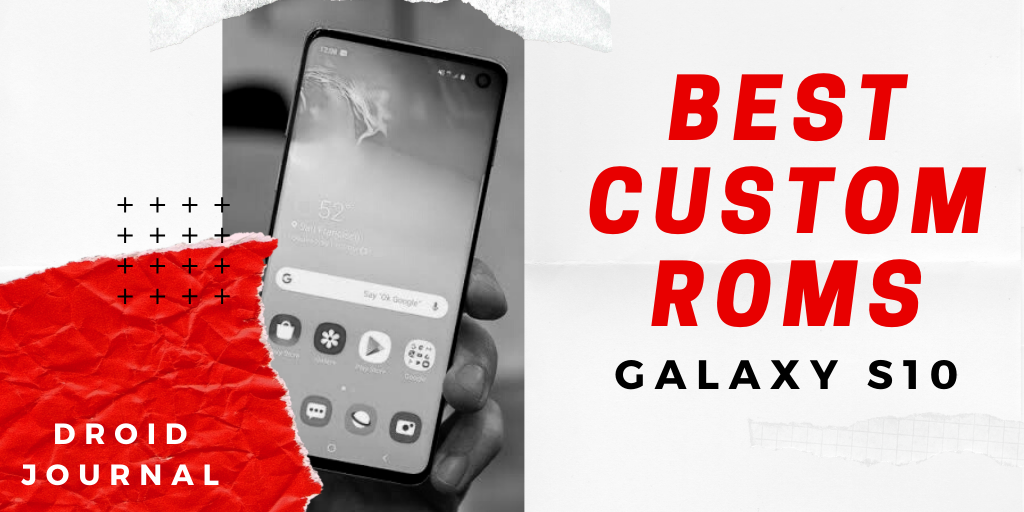
Best Custom ROMs for Galaxy S10: Samsung Galaxy S10 trio is one of the best flagships released in the year 2019. Unlike the previous generations, Samsung has unveiled three smartphones at the same time. Among these three devices, the Galaxy S10 is considered as the “middle child”. While the Galaxy S10 + has been recognized as the best that the S series has to offer, the smaller Galaxy S10e also managed to gain a lot of popularity due to the hardware packed inside at that affordable price. But then there is our Samsung Galaxy S10 struck in the middle of both these devices, claiming to offer the best of both the worlds.
Although the Samsung Galaxy S10 originates with best in class hardware along with One UI backing it up, there are a lot of people like you and me who love the hardware on the Samsung devices but not the software. And, we also know that Samsung is not the quickest to release the latest Android! So for those who want to test out the latest version of the Android in their devices, Custom ROMs are the only option, there are a lot of Custom ROMs available for your Galaxy S10, but you will have to root your device and take the risk of unlocking the boot loader.
We have compiled the Best Custom ROMs for Galaxy S10 that will improve your device performance radically without taking a hit on battery life! Instead of using one of the heaviest UI’s like One UI, you will be able to use Stock Android just like the ones found on Pixel devices. So without any further discussion, let us get started with the best Custom ROMs for Galaxy S10.
Important Notes
- Make sure to have a complete backup of your device before getting started with the process.
- Please note that your device should be fully charged before proceeding with the ROM installation.
- It is recommended to be patient while installing a Custom ROM, as some of the Custom ROMs would take around thirty minutes to boot up.
LIST Best Custom ROMs for Galaxy S10
Lineage OS 17.1

Lineage OS is one of the best Custom ROMs in the world of Android. Hence, the Lineage OS is the first recommendation from us for your Galaxy S10. This project is previously known as Cyanogen Mod. The Cyanogen Mod is used as a default UI for many devices in the past. The devices also include a few titles from OnePlus and Asus. However, this Cyanogen team discontinued the project and stopped its development. Since then, Lineage OS has continued its legacy.
Lineage OS would be the first stable Custom ROM for most of the Android devices. Lineage OS 17.1 for Galaxy S10 is Stable. Also, the developer of this ROM is very active in pushing the security patch updates. The Lineage OS is based on Android 10 and will bring all the stock Android features to your Galaxy S10.
Hades ROM

Hades ROM is one of the finest ROMs available for the Galaxy S10. Although this ROM is based on One UI, this is heavily debloated. Unnecessary Apps and other bloat are completely removed from the interface to enhance the overall performance of your Galaxy S10. This ROM is based on the latest One UI 1.1. The Hades ROM is available for various Galaxy devices including the Galaxy S8, Note 8, and Note 9. The Galaxy S10 gets the exclusive features as the developer of the Hades ROM owns a Galaxy S10.
Unlike the other One UI based ROMs, the Hades ROM have proper S10 integration with the files from One UI November release. This ROM also includes Android 10 stock Beta applications along with various other Google fonts to choose from! The installation process of this ROM is very easy with an Aroma Installer. Also, there are a lot of features added to this ROM which you have to test it out urself. If you are a One UI fanatic, I definitely recommend you check this ROM out.
LightROM

LightROM — As the name itself suggest it is a One UI based ROM with a very Light system and the UI resources. Just like the Hades ROM, the light ROM is very easy to install with the Aroma Installation process. If you are thinking this is just another One UI based ROM, you totally got it wrong. Right from the Boot Animation, you will find a freshness of using a Custom ROM. The specialty of this ROM is the Jet Black user interface.
There are a lot of additional features like Outdoor Mode, Dual Sim + SD Card Hack, UI Mods and etc, which you cannot find on Stock One UI. The features like center battery percentage and editable status bar icons along with the modified Edge screen Options take an account here. The ROM is super stable and the developer is bringing out the latest releases every now and then.
Hyper ROM

If you are looking for a One UI based ROM with various customization options, then Hyper ROM is the one for you. Although this ROM is not available for many of the Galaxy devices, the name itself is very popular among the Custom ROM fans for its exclusive set of customizations. The customization features in this ROM contains the status bar, the navigation bar, along with various custom icons built into the user interface itself.
There are many tiny little features that would improve the overall user experience. You can adjust the heights and widths of status and navigation bars in both portrait and landscape modes. This ROM also contains an option to enable the screenshots and secure apps like Snapchat and Netflix. You can also change the colors of the navigation bars and can change the whole background of the settings as well. If you are a customizations freak, go ahead and test this ROM out.
Conclusion
So this is our list of the Best Custom ROMs for Galaxy S10. Check out all the Custom ROMs mentioned above, and do let us know your favorite in the comments section below. We will definitely add and update this space with the latest Custom ROMs in the future, so stay tuned with us! It is time for me to bid you Adieu! Until next time, Stay Techy!




Blood of Zeus Season 2: Release Date, Cast, and more!
Developed by Charley Parlapanides and Vlas Parlapanides, Blood of Zeus is an American adult animated fantasy action streaming television series...


Love, Death & Robots Season 4: Release Date, Plot, and more!
Created by American filmmaker Tim Miller, Love, Death & Robots is an adult animated anthology streaming television series. The show...


Big Mouth Season 8: Release Date, Trailer, and more!
American adult animated coming-of-age sitcom, Big Mouth was created by Nick Kroll, Jennifer Flackett, Andrew Goldberg, and Mark Levin. The...


One Piece Season 2: Release Date, Cast, and more!
Developed by Matt Owens and Steven Maeda, One Piece is a fantasy adventure television series. It is a live-action adaptation...


Heartstopper Season 3: Release Date, Trailer, and more!
Heartstopper is a British coming-of-age romantic comedy streaming television series which is written by Alice Oseman. It is adapted from...


That ’90s Show Season 2: Release Date, Cast, and more!
American television period teen sitcom, That ’90s Show, is developed for Netflix and is set during the summer of 1995...


Wednesday Season 2: Release Date, Plot, and more!
Created by Alfred Gough and Miles Millar, Wednesday is an American coming-of-age supernatural comedy horror streaming television series. The show...


Mo Season 2: Release Date, Plot, and more!
Created by Mo Amer, and Ramy Youssef, Mo is an American comedy-drama streaming television series that premiered on August 24,...


Emily in Paris Season 4: Release Date, Trailer, and more!
Created by Darren Star, Emily in Paris is a comedy-drama series, made for Netflix. Star is also the executive producer...


My Life with the Walter Boys Season 2: Release Date, Cast, and more!
Developed by Melanie Halsall, My Life with the Walter Boys is an American coming-of-age teen drama television series. It is...